Accessing scientific articles
You should be able to read all the literature you need: the library pays generous sums for the privilege. Unfortunately the path to a paper is sometimes convoluted, particularly off campus.
If you still can’t reach a paper after following the tips on this page, tell the library (email itservicedesk@dur.ac.uk); their staff are helpful and conscientious. If that doesn’t work, tell me, and we’ll get it fixed.
EndNote Click browser plugin
The free EndNote Click browser plugin (formerly Kopernio) adds a link to the full text of any article that Durham has access to, if it can find it.
Google Scholar
Google Scholar can be set up to reach articles through Durham’s subscriptions, even off campus.
- Link Scholar to Durham ConneXions. Open Scholar’s Settings, then Library links. Search for and tick “Durham University Library”, then save.
- Find an article and follow its Durham ConneXions link. Search, for example, for The misuse of colour in science communication. “Durham ConneXions” appears to the right of the result. It takes you to the library’s record, and from there to the full text.
- Or follow the publisher’s link and use viaDurham. I sometimes find the library website unreliable, so I click the article title in the search results instead. On the publisher’s page I click the viaDurham bookmarklet in my bookmarks bar (installation instructions), and voilà: there’s the article.
Library website
Search the library’s Discover catalogue. From off campus, sign in first (top right of any Discover page), or some journal articles won’t show up.
Once you have found the article you want, you may still need to dig a little for the full text.
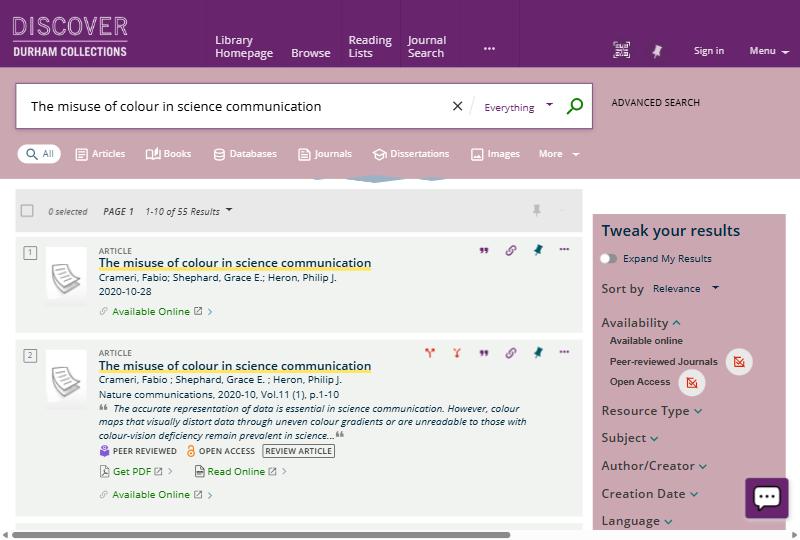
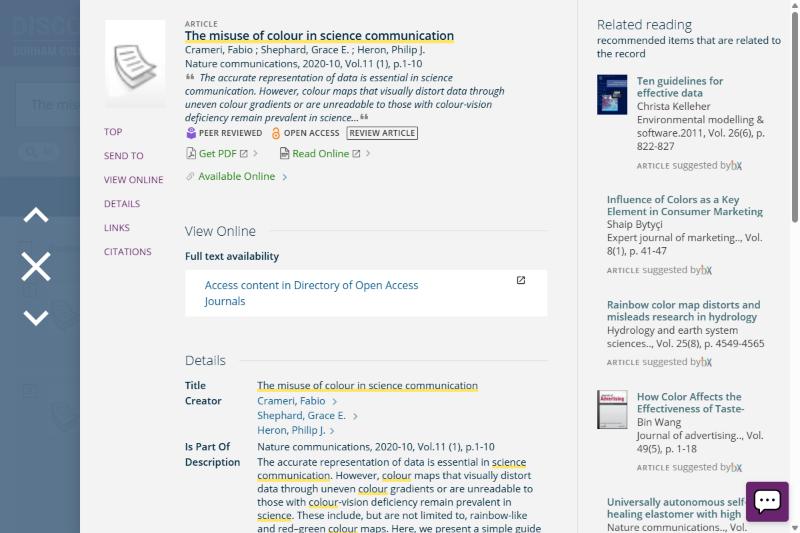
I sometimes wonder whether the convoluted path to a legitimate full text explains the popularity of “pirate” sites such as Sci-Hub.
No subscription?
If Durham doesn’t subscribe to a journal, the author may have posted a free copy. The Unpaywall browser extension finds one if it exists.